The whole product under the GOV.UK Design System's look, for services on a gov.uk domain, with government security markings, need-to-know access and a full audit trail. Everything on this page is in release v0.6.0.
Four short steps, from the one setting that turns it on to the screens your analysts would use. The screens are illustrations and every name is invented.
The GOV.UK theme, in four steps
Step 1 of 4
One setting, chosen at install
The GOV.UK theme is a deployment setting, not a separate edition or a fork. Everything underneath is the same product.
Step 2 of 4
Your service's name, not ours
The install asks for the service's name, the organisation and the phase. The switch between the four places sits inside the header.
Step 3 of 4
The same product underneath
The network, the map, the timeline, reports, the Ingest Studio and monitoring, all with the same features and the same tests.
Step 4 of 4
Built to be used by everyone
The whole network is also available as tables, for a keyboard or a screen reader.
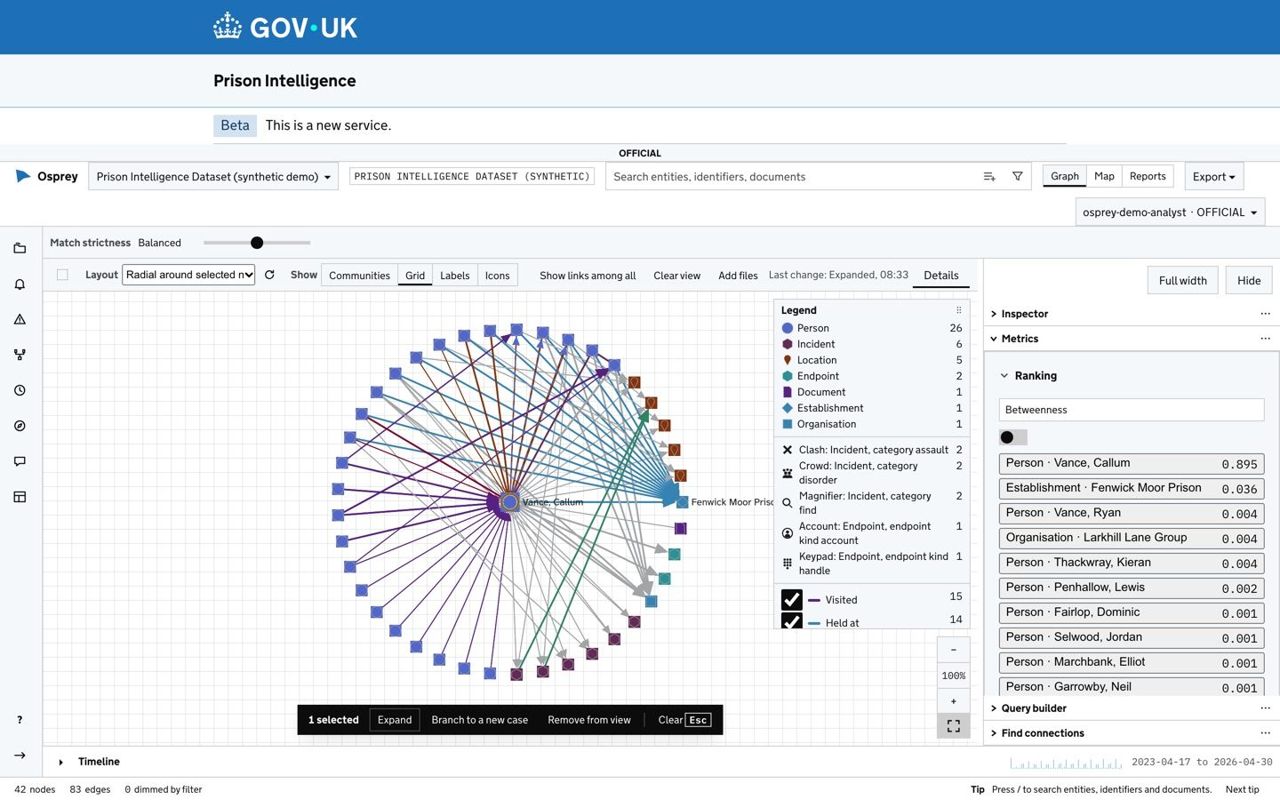
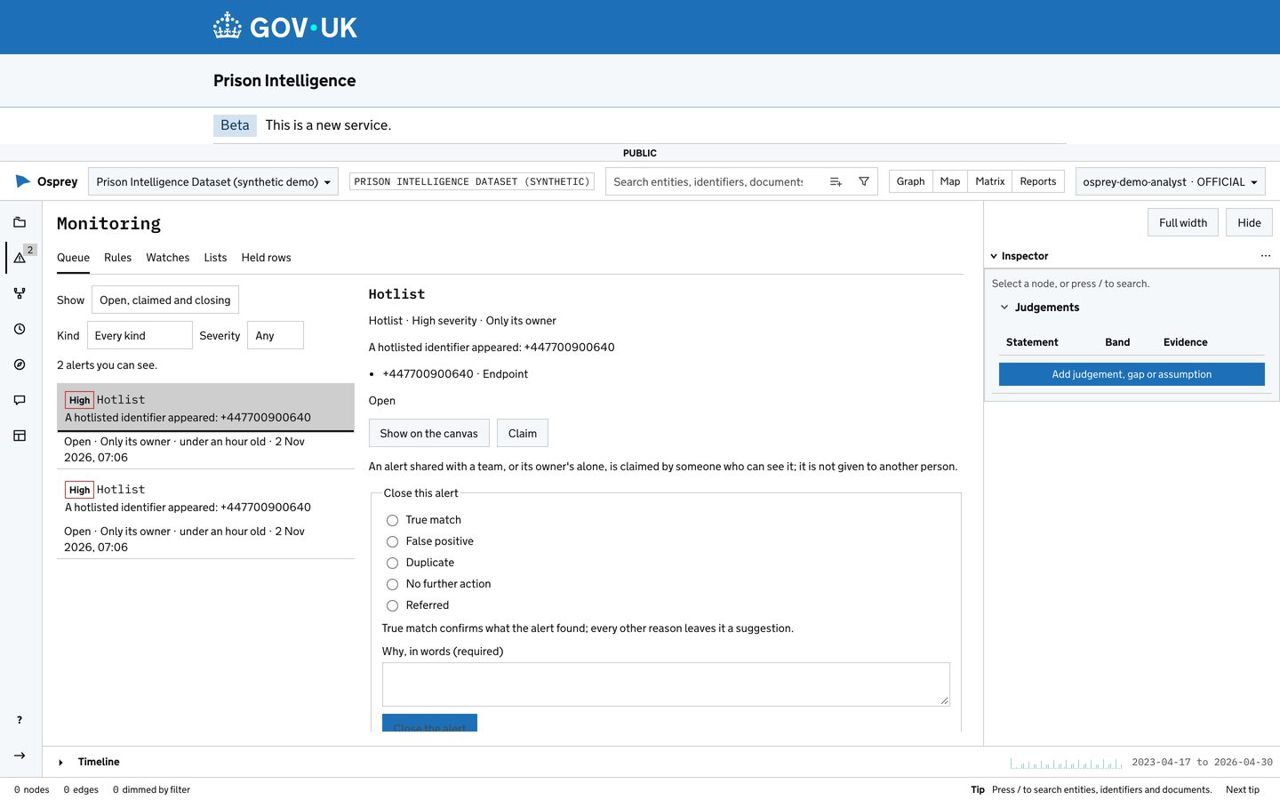
This is the website's own drawing of the GOV.UK theme, not a screen from the product. This site is not a gov.uk service, so the drawing shows no crown and no GOV.UK logotype, and is set in Arial. Every name in it is invented.
What "designed to meet" means
OspreyFlow is designed to meet the GDS Service Standard. Three independent checks are planned and not yet done: an independent accessibility audit, a penetration test and a data protection impact assessment (DPIA). Only a service assessment panel decides whether a service meets the Standard, and it looks at a service, not at a product alone.
The GOV.UK theme, chosen at install
The GOV.UK theme is a deployment setting, not a separate edition or a fork. One setting gives every page the GOV.UK header and footer, the phase banner and the service's own name. Everything else is the same product, with the same features and the same tests.
For services on a gov.uk domain. The GOV.UK look belongs to those services, and is to be used for those alone. It stays available on one computer for a demonstration.
Your service's name, not ours. The install asks for the service's name, the organisation and the phase.
Switch back at any time. Nothing about the data or the cases changes.
The four places in the GOV.UK header, with the banner as a GOV.UK notification banner.
A network laid out around one person and ranked by betweenness, under the GOV.UK theme. Demonstration deployment, synthetic data; every name shown is invented.
One setting changes the look
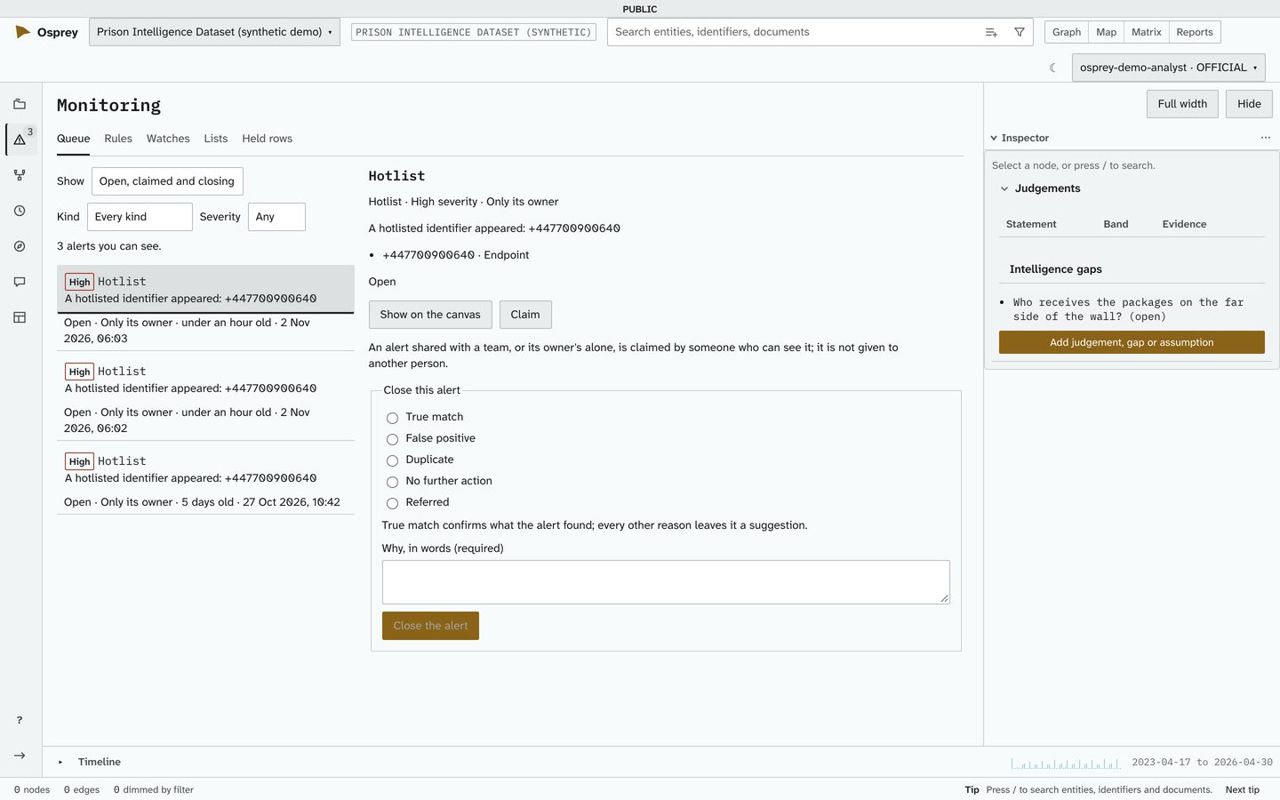
The alert queue under the GOV.UK theme. Demonstration deployment, synthetic data; every name shown is invented.An alert queue in OspreyFlow's own look. Demonstration deployment, synthetic data; every name shown is invented.
Each starter except Blank comes with its own synthetic demonstration data.
What a security or architecture team will ask
Where does the data live?
Inside your own cloud account or data centre. The deployment does not call out on its own: the install downloads its images and model, a server fetches its own certificate, and anything else, such as a hosted model or your organisation's sign-in, is switched on by an administrator.
Who can see what?
Handling markings on every record, clearance and unit on every person, and reads filtered in the store, so a hidden record leaves no trace in a count.
Can a finding be traced?
Every link keeps its source, its record and when it arrived. Every export and approval is in the audit.
What about models?
Local by default. A hosted engine receives material only when the dataset and the handling code both allow it.
Is it accessible?
Designed to WCAG 2.2 AA, with automated accessibility scans on every screen we test, in the light and dark themes and under GOV.UK on most of them, and a Matrix view of the network as tables. An independent audit is planned.
What is inside it?
Open-source components throughout, each listed with its licence. No software licence fee.
Want help to run it? Solirius Reply offers pilots, builds and support: ospreyflow.net.